Stellar Repair for Exchange is a powerful tool that allows you to export repaired mailboxes and mailbox items from a corrupt EDB file to the Public Folder of Exchange Server or Office 365 account directly. The software does not alter or make any changes to the original data.
IMPORTANT NOTES
- To export mailboxes to Public Folder, you must have full access to the Public Folders root of the destination Exchange Server or Office 365 account.
- Configure the Outlook profile with Administrator rights on the system where Stellar Repair for Exchange is installed.
Follow these steps to export repaired mailbox data to Public Folder:
- Launch Stellar Repair for Exchange software and choose the EDB file for Quick or Extensive scan.
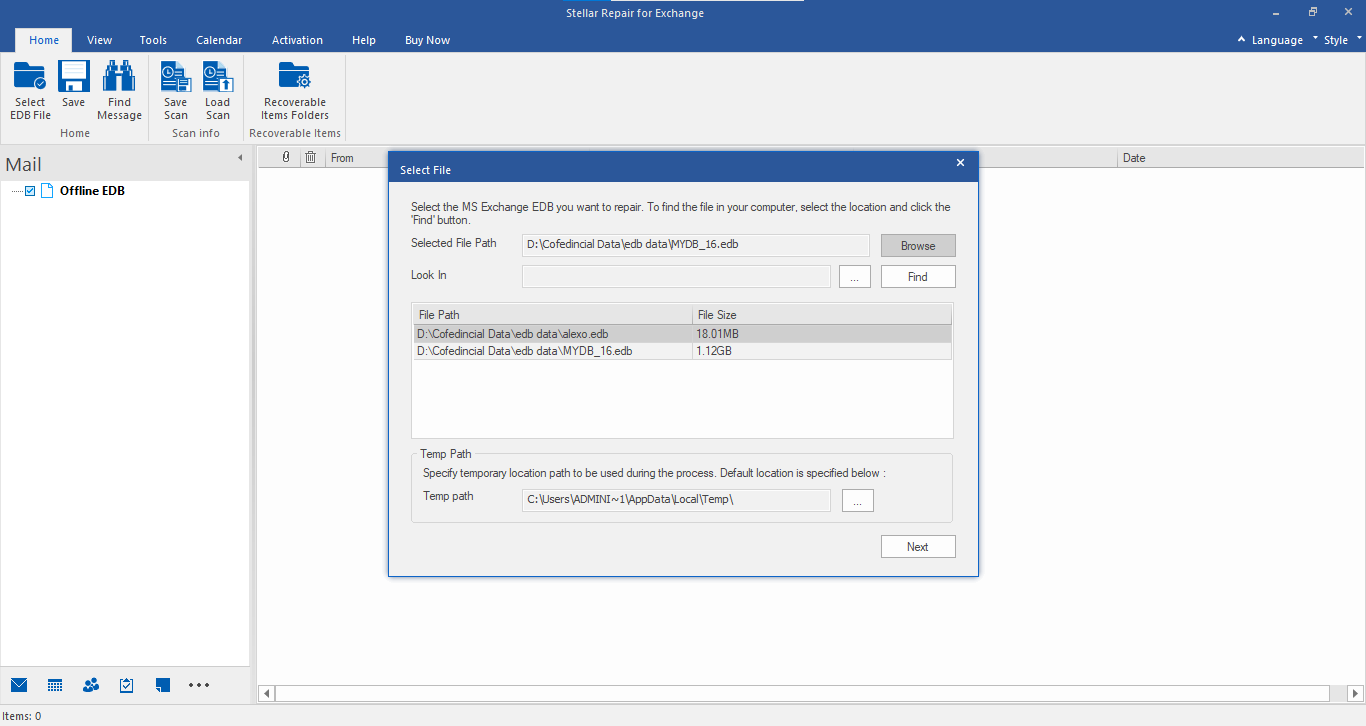
Figure 1: Select the EDB file to you want to repair
- Next, select the mailbox or specific mailbox items that you want to repair from the navigation tree.
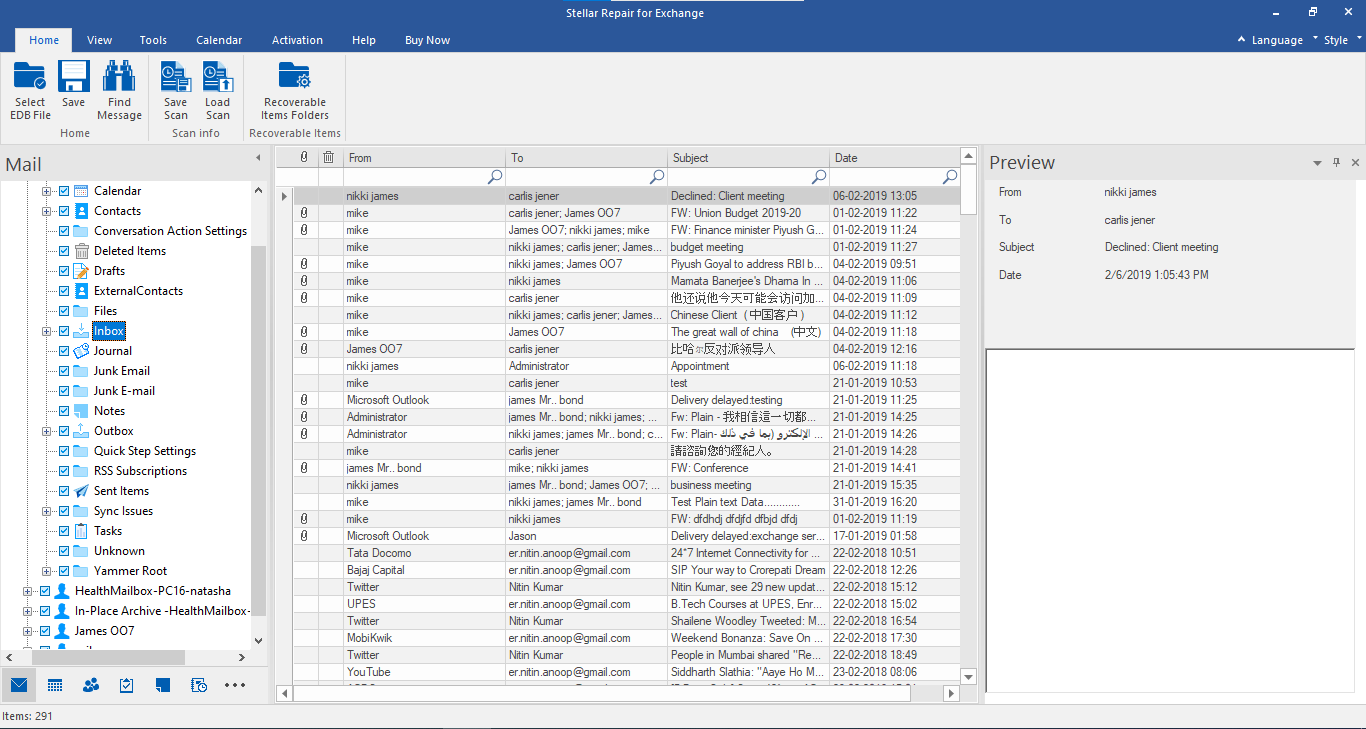
Figure 2: Navigation tree displaying all mailboxes and mailbox items after scanning the EDB file
- Click Save from Home Ribbon. A Save As dialog box will appear.
- Select the Export to Public Folder option and then click ‘Next.’
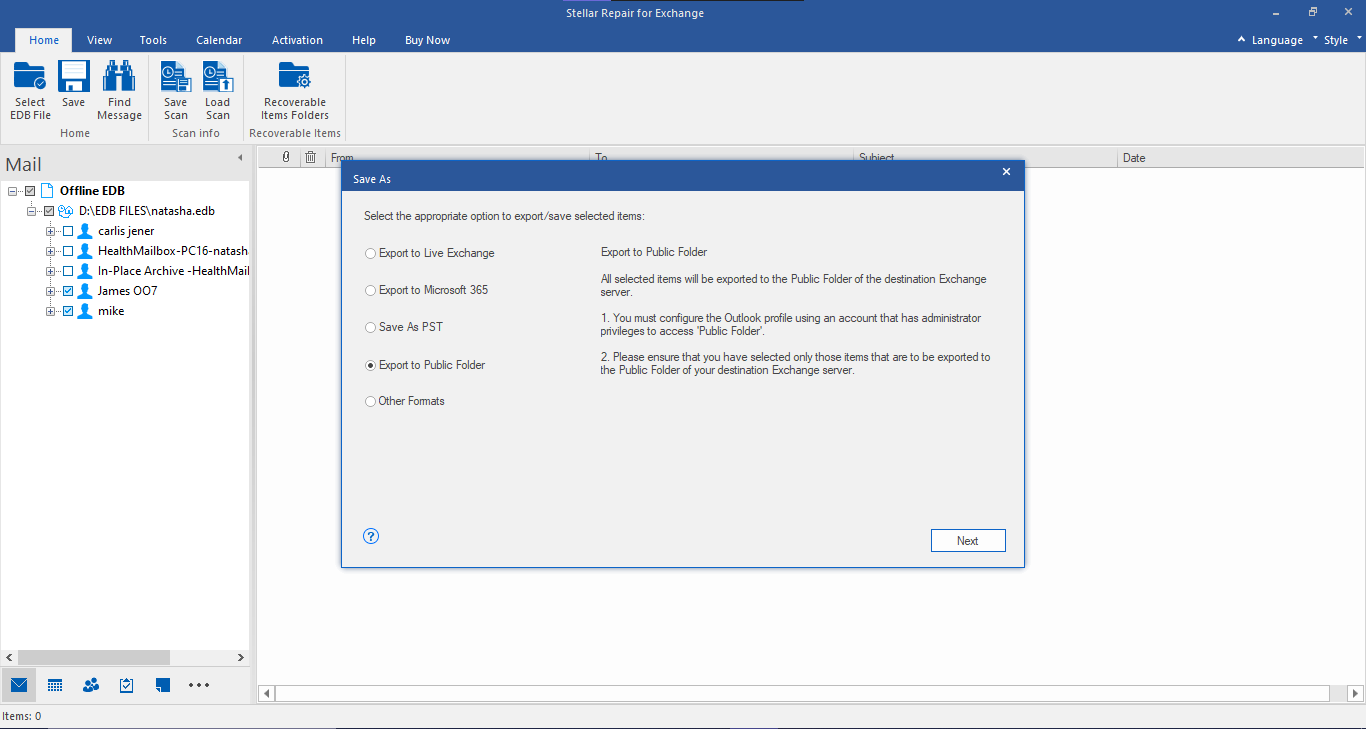
Figure 3: Save As dialog box with options to export Exchange mailbox data
- A Save dialogue box will open for confirmation. Click ‘Yes’ to confirm.
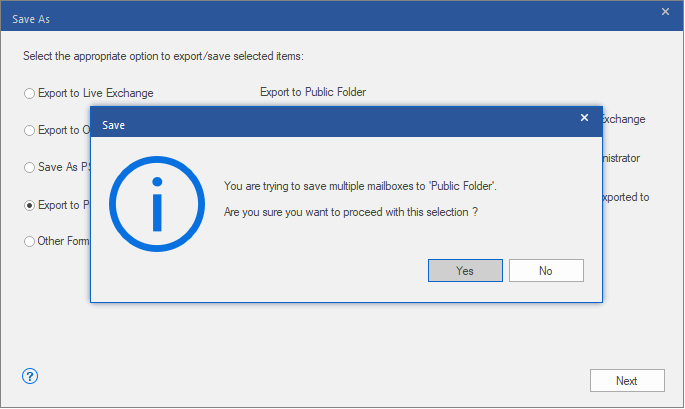
Figure 4: Confirm the selection
- In Enter Login Credentials dialog box, choose the configured Exchange or Office 365 Outlook profile and enter the password.
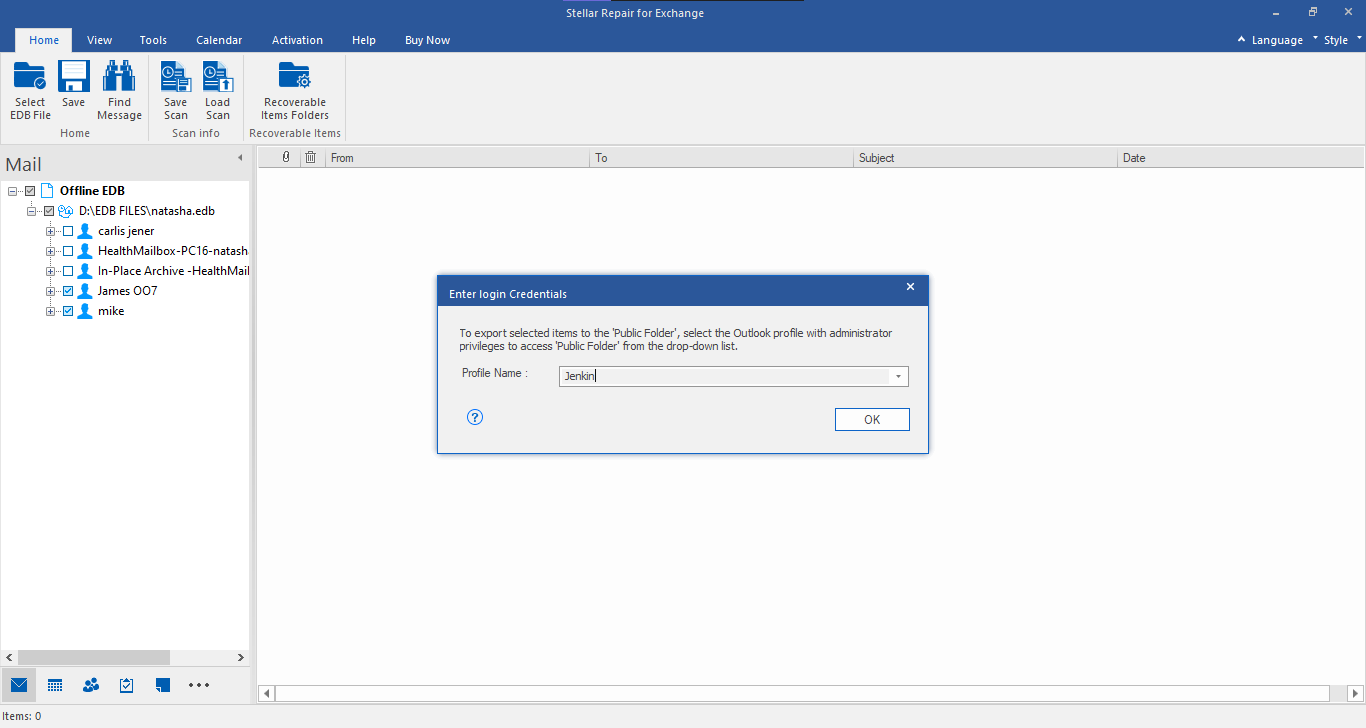
Figure 5: Screen to input Profile Name and Password for connecting to the Public Folder of Exchange Server or Office 365
- You can click on the ‘Apply Filter’ option to exclude or include Junk/Deleted emails or filter out emails from specific email addresses. Otherwise, click ‘OK’ to start exporting recovered mailboxes to Public Folder on live Exchange server or Office 365.
TIP: You may also right-click on mailbox or mailbox items and choose Export to Public Folder to quickly export the selected item to Pubic Folder of Exchange server or Office 365.
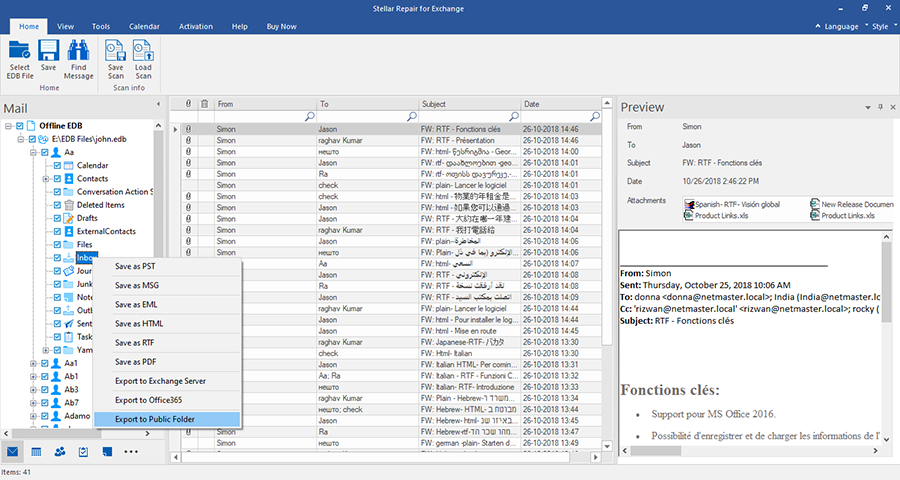
Figure 6: choose Export to Public Folder
For more help, please visit our Self Help and Support page.


Comment Reply
User Comments