One of the exclusive features of Stellar Repair for Exchange Software is that it supports the “Repair Unicode EDB file” function.
The repair process of Unicode EDB File includes the following steps:
- Select Unicode Exchange Database (EDB) file
- Scan, repair and preview file content
- Save the recovered Unicode EDB
- Save in PST, EML, and other formats
- Export to Office 365
- Export to Exchange directly
Find below detailed steps:
- Download, Install, Run and Open the software – Stellar Repair for Exchange
- The 'Browse' option allows you to select the corrupt Unicode EDB File
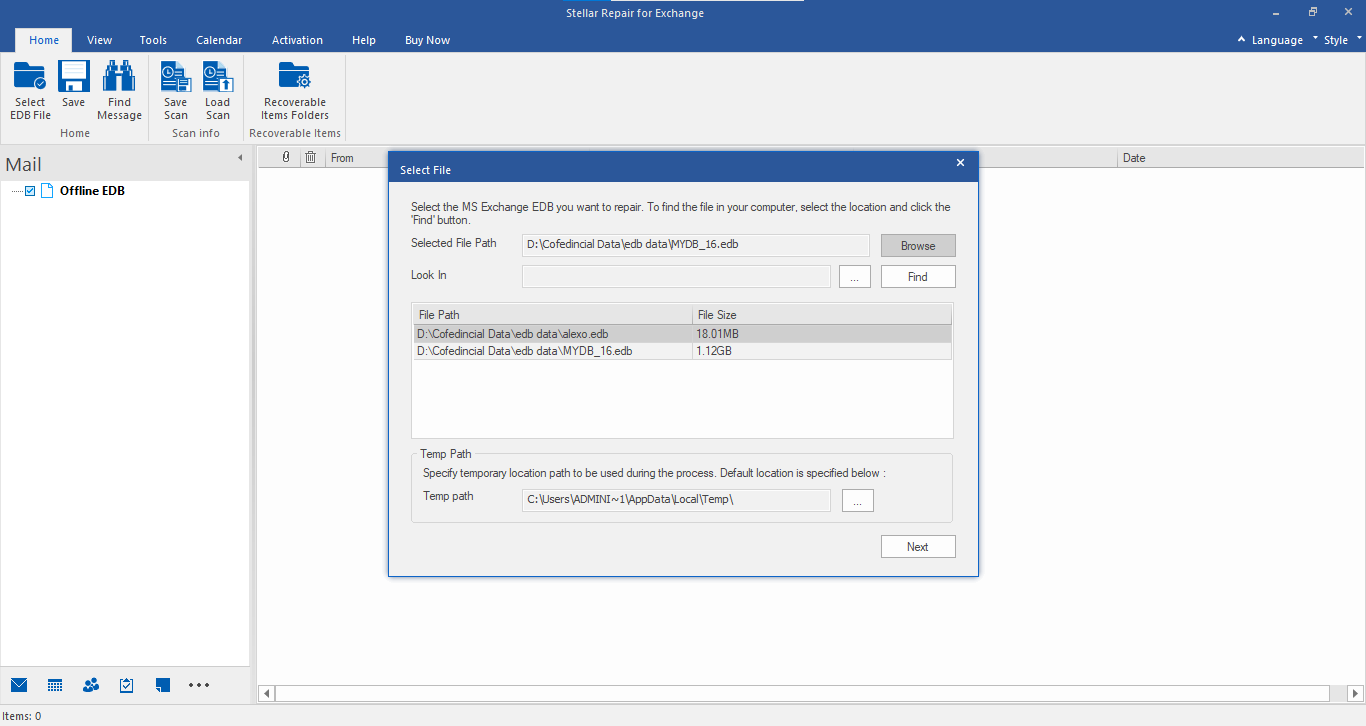
Figure 1: Illustrates Selection of Unicode EDB file
- Click on Next button to start the Scanning and Repairing process. Once the scanning is complete, the software displays a preview of Mailbox database
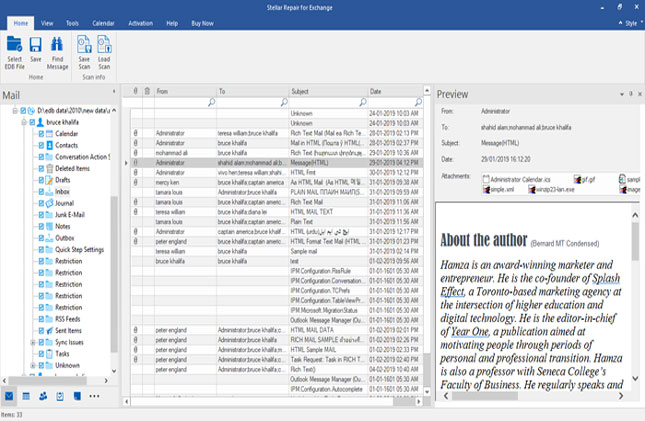
Figure : Illustrates Scanning of Unicode EDB File
- Unicode EDB file is available in different language. Due to this reason, the contents of scanned and repaired EDB file are displayed in similar language. Read and verify Unicode EDB file content and authenticate
- After verification, go to Home menu and click on Save option
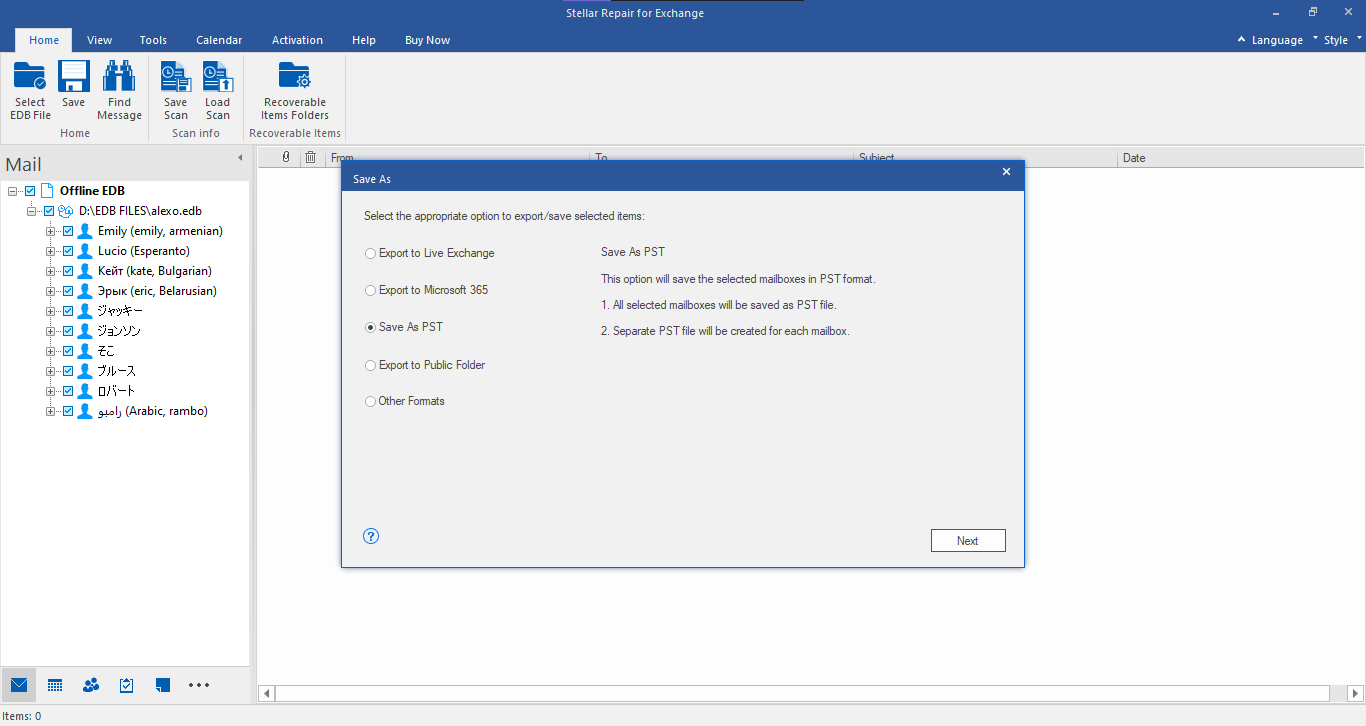
Figure : Illustrates Saving of Unicode EDB File
- A list of saving options displays on the screen. These saving options include – PST, Live Exchange, Office365, MSG, EML, HTML, RTF and PDF .
- Click on the PST option and select a preferred location to save the repaired Unicode EDB file
- Data saved successfully message confirms that the Unicode EDB File is fixed and saved successfully with the help of Stellar Repair for Exchange Software.
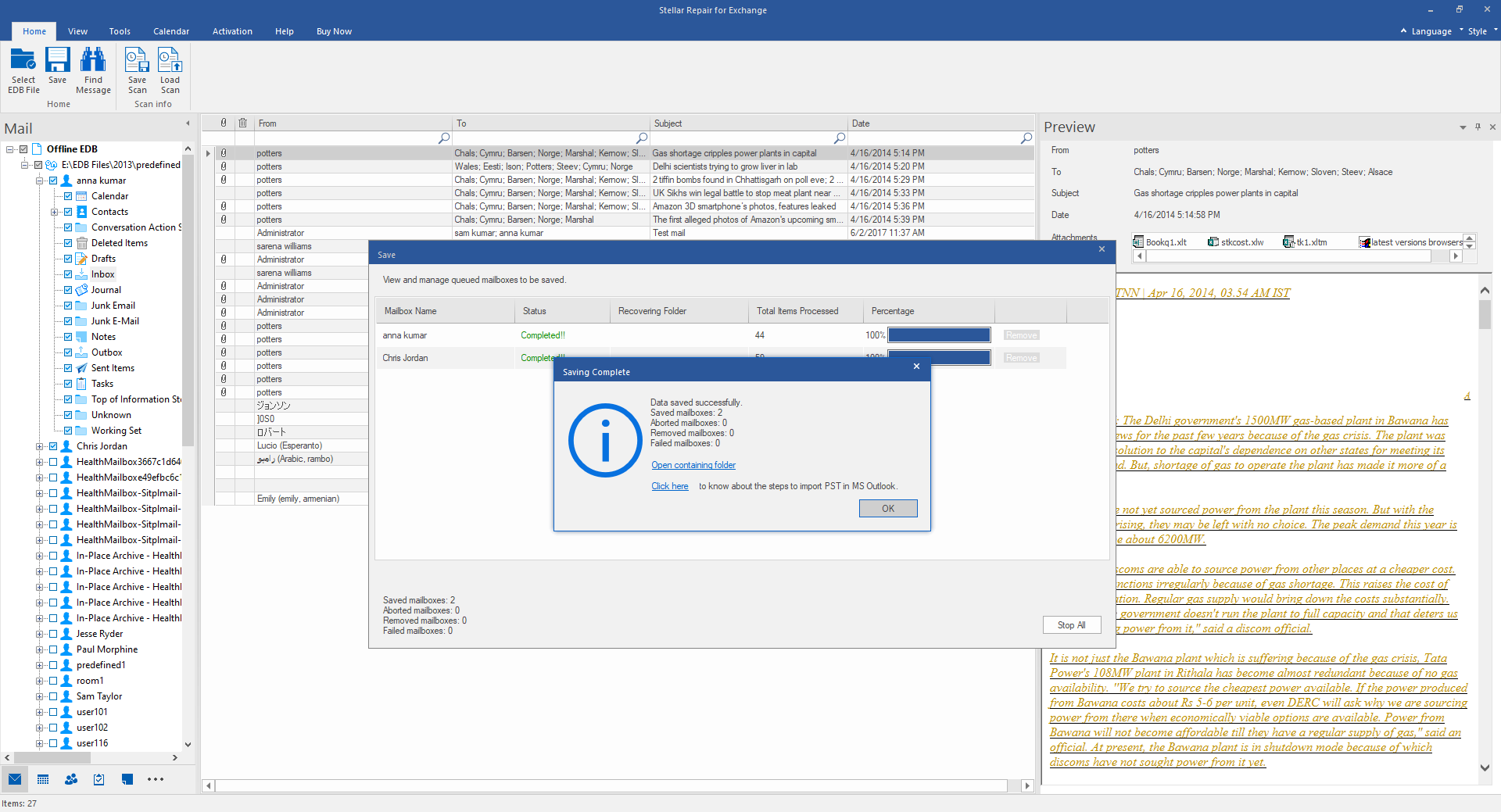
Figure 5: Illustrates successful saving of Unicode EDB
Similarly, click on other saving options to save the repaired Unicode EDB in that format.
Export the repaired Unicode EDB directly to Office 365
Stellar Repair for Exchange provides an option to export the repaired Unicode EDBs directly to Exchange server and Office 365 application.
Once you have verified the file contents, click on the Office 365 from the Save button
- From the Save As options, tick mark the radio button for Office 365
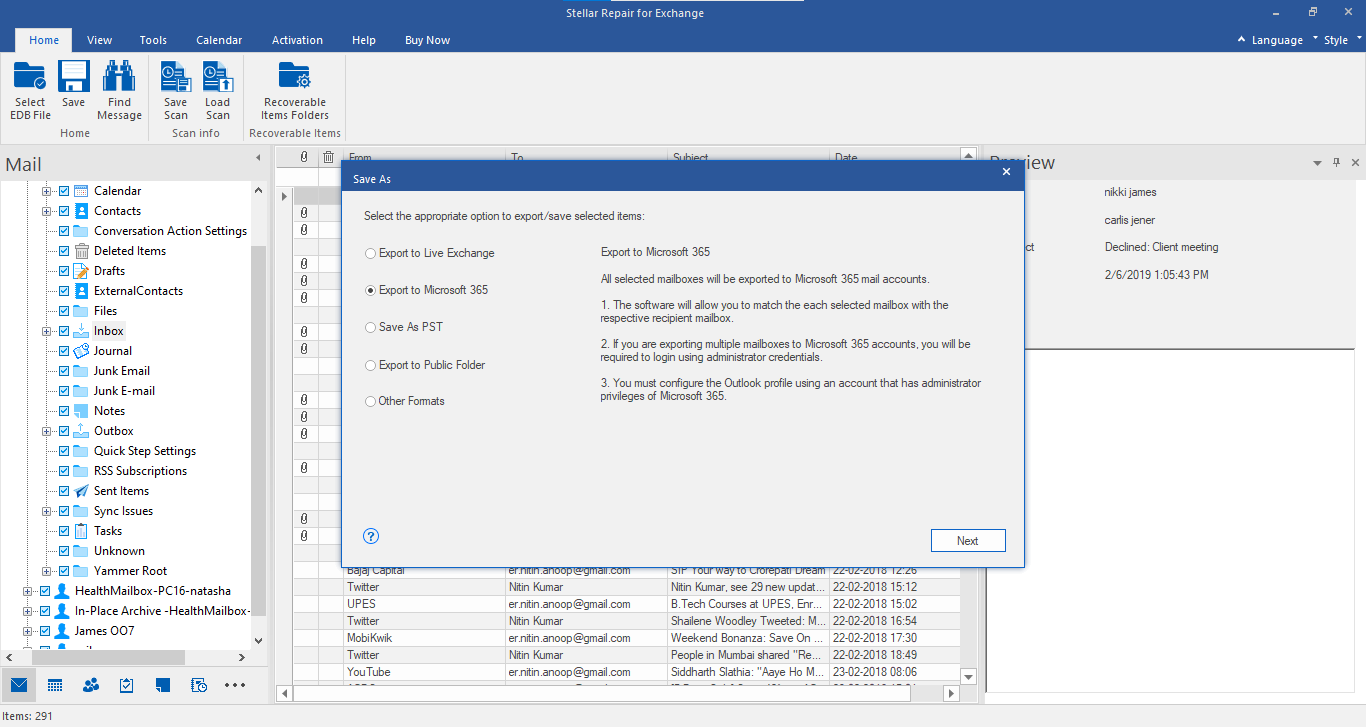
Figure 6: Illustrates Save As screen with different Saving Options including Office365
- The Office 365 Details dialog box opens. Enter the valid credentials and click on OK button
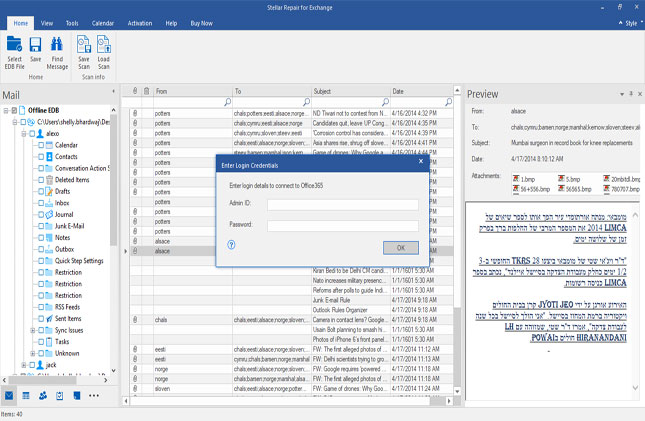
Figure 7: Illustrates space to enter valid Office 365 User account details
- Repaired data of Unicode EDB file is successfully exported to Office 365
Export the repaired Unicode EDB directly to Exchange Server
- To Export mailbox data of a restored Unicode EDB file to an Exchange server, From the Save As options, tick mark the radio button for Live Exchange
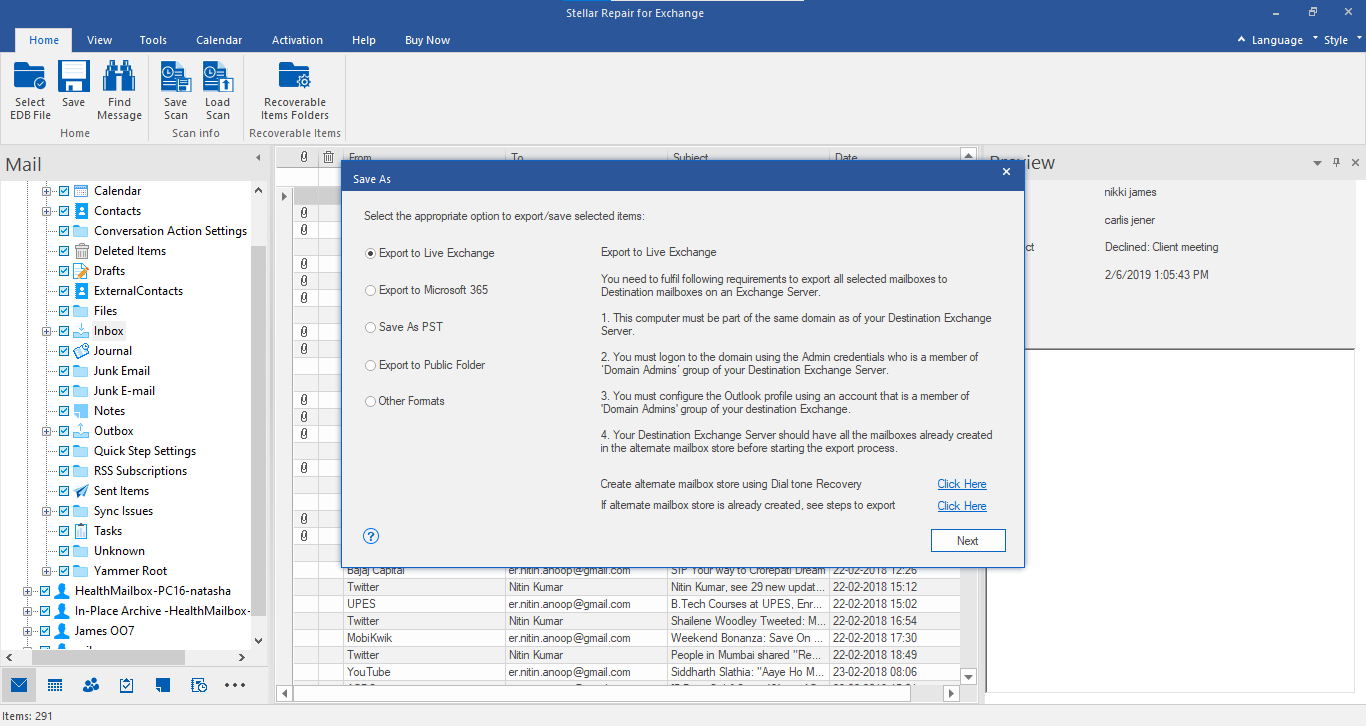
Figure 8: Illustrates Saving and Exporting Options
- Enter Server Credentials for Admin account or the Mailbox account – Server name, Admin Email and Password, Select Server Version and click on Ok button.
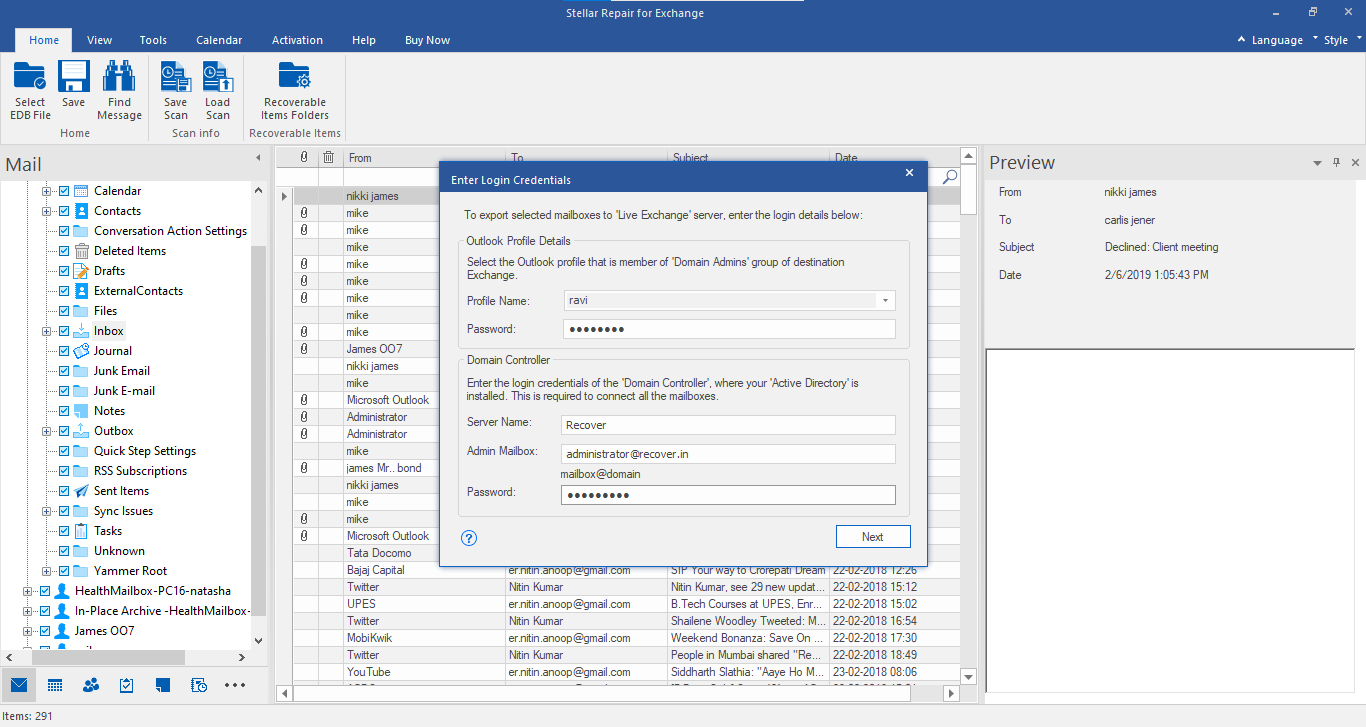
Figure 9: Illustrates Connection options and MS exchange Server Information to export Mailbox content to Exchange
- Now you can map mailbox from Source to Destination Mailbox & click 'Export'.
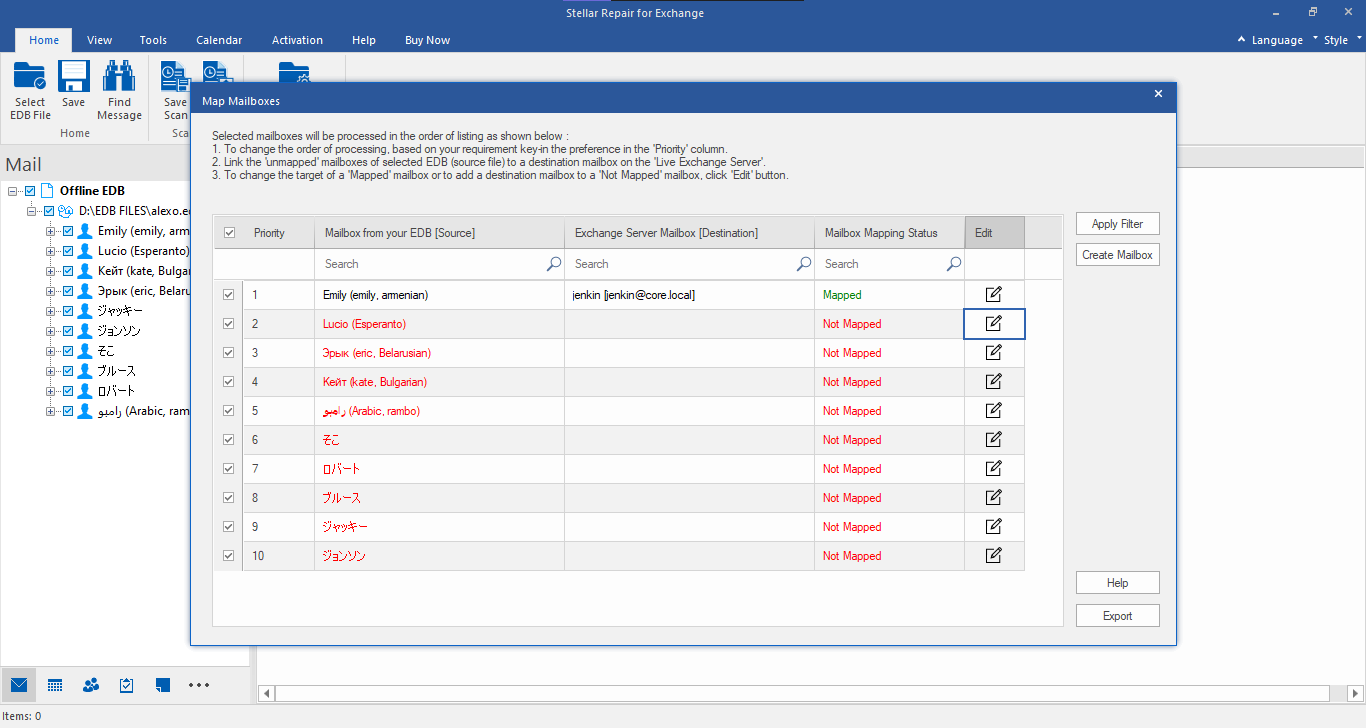
- The mailbox data is exported to Exchange Server directly
You can save the Log Report of repaired Unicode EDB file to verify recovered mailbox contents.


Comment Reply
User Comments